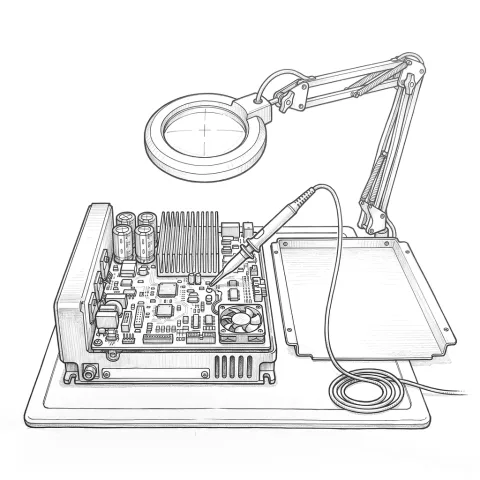
Why repair instead of replace?
When a board or drive fails in a robot controller, the first instinct is to order a new one from the maker. For a current controller that is often the right call. On older generations you run into three problems: the new part is very expensive, the lead time is measured in weeks, or the part is no longer made.
In those cases, repairing the faulty board is often the fastest and cheapest route. A drive is usually stopped by one power semiconductor, a capacitor or a connector, while the rest of the board is sound. Finding and replacing the failed component takes less time than replacing the whole board.
One limit, stated up front: not every board can be repaired. A burnt main processor, a board damaged by liquid or heavy impact, or a part whose software is locked to that specific board may not be repairable. We tell you so at the diagnosis stage and offer a tested used or new part instead.
What we repair
- Drives and servo amplifiers: the power electronics that drive the robot axes. Examples include ABB IRC5 drive units, the KPP (power supply with integrated drive) and KSP (servo drive) units in the KUKA KR C4, and the KSD drives in the KR C2. Overcurrent and overheating are common failures in these units.
- Power supplies: the units that power the boards inside the cabinet and the teach pendant.
- I/O and communication boards: the boards that connect the robot to the cell's PLC, fixture and sensors.
- Computer units: the controller's main computer and axis computer.
- Teach pendants: ABB FlexPendant, KUKA smartPAD and the KCP pendant of the KR C2. The pendant takes the most damage on the shop floor: cables get torn or run over by forklifts, touch screens crack, enabling switches wear out, key switches break. Most of these faults can be repaired.
How a repair runs
- Receipt: you bring the board to us or ship it. Writing down the symptom, the error code and the controller type speeds up diagnosis.
- Diagnosis: we inspect and measure the board and find the failed components. If it can be repaired, we send you the price and turnaround time and wait for your approval.
- Repair: failed components are replaced. Where it makes sense, parts near the end of their life, such as aged capacitors, are renewed too.
- Test: the repaired board is tested under load, in a setup close to real operating conditions.
- Return with report: the board comes back with a report listing the work done and the test results.
Repair time depends on the fault; we give you a time once we have looked at the board. We state the warranty period for each part type in writing in the quote.
When the line can't wait: exchange units
If your line cannot stand still during the repair, an exchange unit is an option. If we have a repaired and tested unit of the same type, we send it right away and collect your faulty part afterwards. The robot runs again without waiting for the repair to finish.
Questions buyers ask
How do we know the board is really the faulty part? Before pulling a board from the cabinet, you need to know whether the fault is in the board, a cable, the motor or the software. That is why on-site diagnosis matters: sending the wrong board for repair keeps the robot down for days for nothing. If you are not sure, we come to site and look at it with you.
Will a repaired board last as long as a new one? If the cause of the failure has been removed, a repaired board can run for a long time. But if a clogged fan is overheating the cabinet, a cable is loose or the axis is constantly overloaded, a new board will fail the same way. So we look at the cause as well as the repair, and the answer is often in preventive robot maintenance.
What should we do before shipping a board? Put the board in an anti-static bag, pack it against impact, and note the controller type and the error code. If no program and system backup has been taken, take one before removing the board.