What kind of faults do people call about?
Most PLC breakdown calls fit a few familiar situations:
- The machine stopped on an alarm: there is a message on the operator panel, but nobody knows what it means or what changed.
- The program was lost after a power cut: some older PLCs, such as S5s and older S7-300 CPUs without a memory card, keep their program in battery-backed memory. If the program is not on a non-volatile memory module and the battery is flat when the power goes, the program goes too. The battery fault LED on the CPU has often been lit for months.
- The operator panel won't start: the screen is dark, the touch screen doesn't respond or the panel hangs at boot.
- Communication is lost: no connection between the PLC and the drives, remote I/O stations, operator panel or SCADA. On PROFIBUS a single connector, on PROFINET a switch or a cable, sometimes one terminating resistor, can stop the whole line.
- A sensor or I/O module has failed: the machine won't continue because it is waiting for a signal. Is the problem the sensor, the cable or the module?
- A program change for a new product: the machine runs, but a new product or a new die needs a program change, and whoever wrote the program is gone.
What we do on a breakdown call
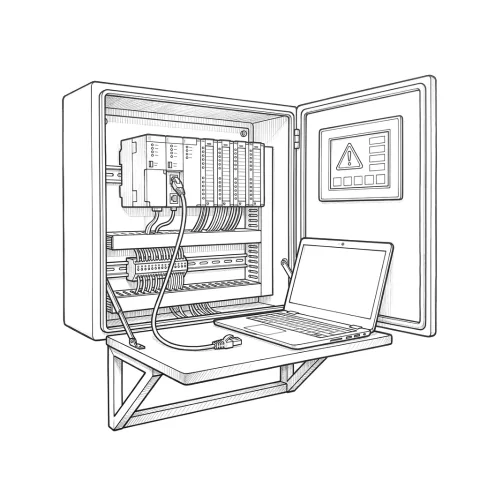
- Troubleshooting: we read the CPU's diagnostic buffer, monitor the program online and find out whether the fault is in the program, a field device or the network.
- Program recovery: we restore the program from a backup. If there is no backup, or it is incomplete, we work from what can be read out of the PLC and whatever documentation exists to get the machine running again.
- Hardware replacement: a failed CPU, I/O module, power supply or panel is replaced, and the program and settings are loaded onto the new part.
- Network problems: cabling, connectors, addresses and configuration on PROFIBUS and PROFINET networks.
- Program changes: program and panel screen changes for a new product, a new sensor or a new safety condition.
As a Siemens partner, we work mainly with the SIMATIC family. We put response time and service area in writing in the service agreement.
The most important job happens before the breakdown: backups
In PLC breakdowns, the longest stops come not from the hardware itself but from a lost program. Check these before anything fails:
- Are the project files backed up? Not just the program inside the PLC, but the project file on a computer, with its comments and symbol names. On older systems, a program read back from the PLC often comes without those comments and is much harder to work with.
- Where is the backup kept? The laptop of a technician who has left is not a backup. Backups belong on the company's own server or maintenance archive, filed by machine name and date.
- Are the operator panel and drive settings backed up too? The panel project and drive parameters are part of the program.
- Is the battery fault LED lit on the CPU? On a CPU with battery-backed memory, that LED is the last warning before the program is lost.
Under a maintenance contract, we take these backups regularly and archive them machine by machine.
Have this ready when you call
- The PLC model, e.g. S7-300 CPU 315-2 DP or S7-1500 CPU 1516-3 PN/DP
- The status of the LEDs on the CPU (RUN, STOP, fault and battery LEDs), with a photo
- The alarm message on the operator panel, in full
- What happened just before the fault: a power cut, a part replacement, a program change
- Where the latest program backup is and which software opens it (STEP 7, TIA Portal)
On an obsolete PLC, every breakdown is a warning
SIMATIC S5 has been out of production for a long time; spare parts come only from the second-hand market. SIMATIC S7-300 and ET 200M moved to type discontinuation (Siemens lifecycle status PM410) on 1 October 2025: they can no longer be bought for new projects or extensions, only in limited spare-part quantities, and prices are expected to rise.
Breakdowns on these platforms can usually still be fixed. But if the faults are becoming more frequent, or it is unclear whether the next part can be found, the migration should be planned without waiting for the next failure. We explain how on the PLC migration (S5 and S7-300 to S7-1500) page, and in more depth in our S7-300 and S5 migration guide. What we learn during a breakdown, such as the I/O list, the program structure and the field devices, is the first step of a migration.
Questions buyers ask
The company that wrote the program no longer exists. Can you still help? Yes. On older machines this is very common. We read the program from the PLC, work out the logic that runs the machine and find the fault from there. Without comments this takes longer, so at the end of the job we try to hand the program back documented.
Do you need to reprogram the whole machine? No. On a breakdown call the aim is to get the machine running as quickly as possible. Larger changes, or machine and line automation, are handled as a separate, planned job.